 Roga Digital
glance
A Claude Code plugin that tints your terminal while Claude works and puts it back the moment Claude needs you. With several sessions open, one look at your screen tells you which ones are waiting on you.
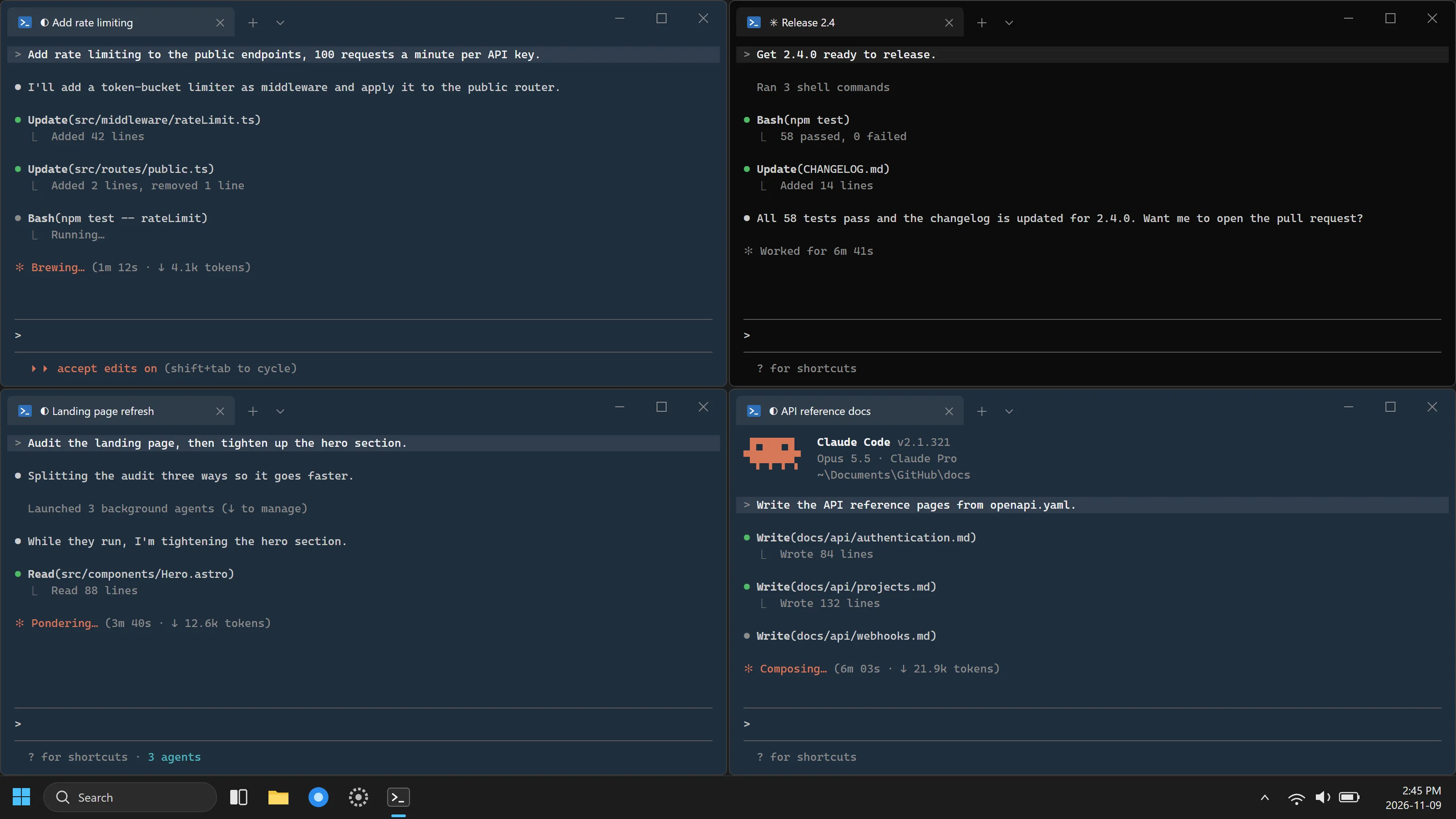
Know which session needs you, from across the room
Run four or six Claude Code sessions at once and the hard part stops being the work. It becomes noticing which session finished, or stopped to ask permission, while you were watching another. Without glance, you read every pane to find out. With it, the panes that need you are the ones that went back to normal.
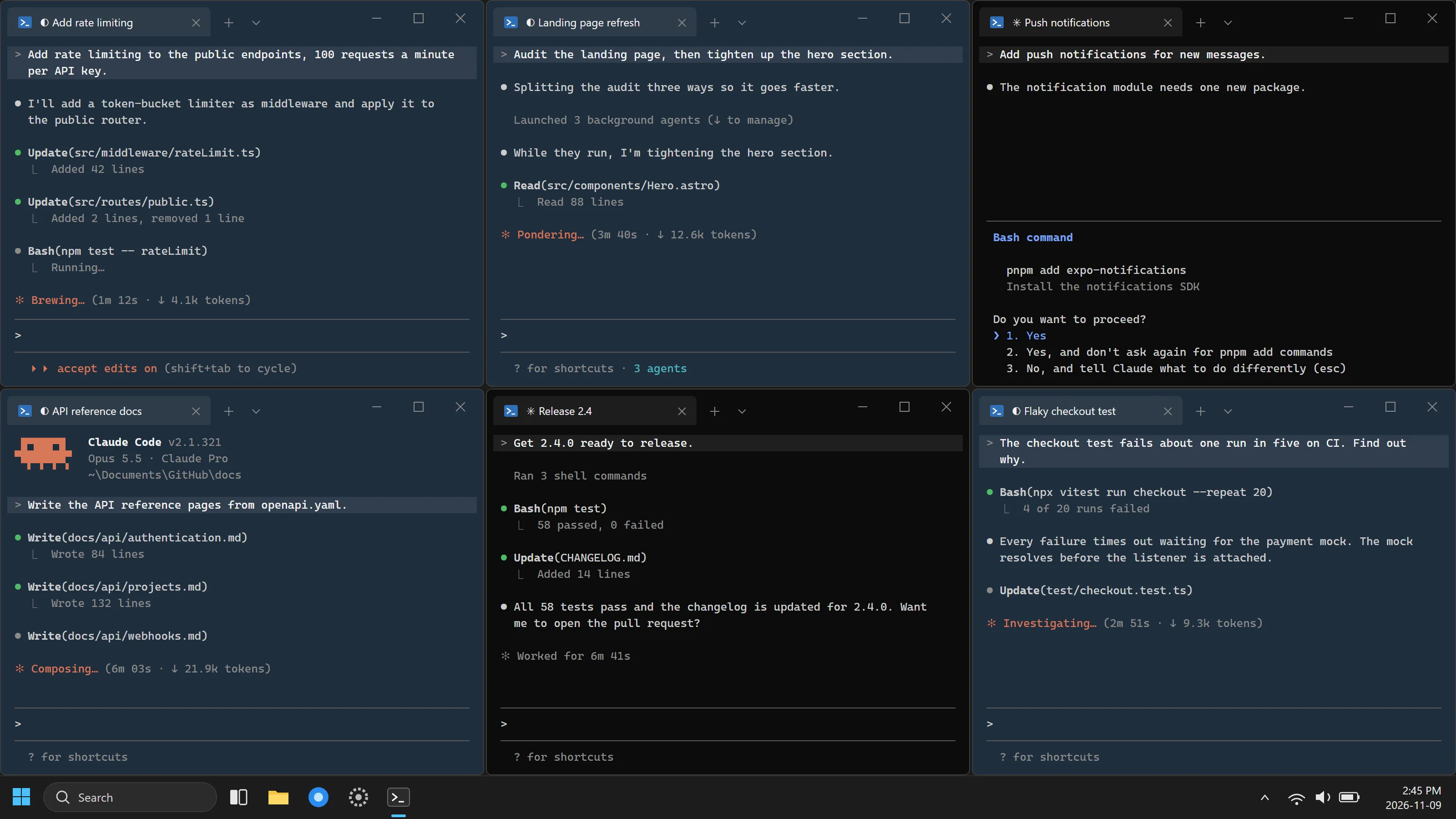
Three states
The rule is lopsided on purpose. A pane that looks busy while it’s really waiting on you is the failure that matters, so any case glance is unsure of falls back to needs you.
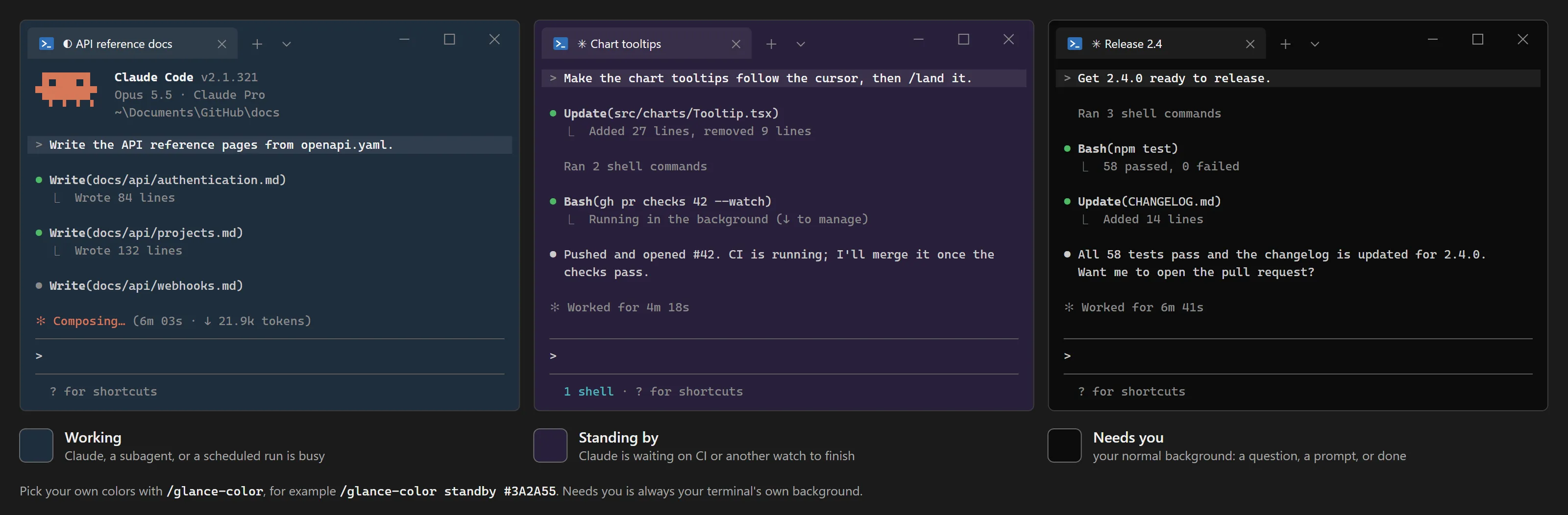
- Working
- Slate
- Claude is busy, or a subagent is, or a scheduled run is due within the hour.
- Standing by
- Purple
- Claude's turn is over, but it's waiting on something that will wake it, such as CI on a pull request. Nothing is asked of you yet. A dev server left running doesn't count.
- Needs you
- Your normal background
- Claude finished, wants permission, asked a question, or hit an error.
How it works
glance listens to what Claude Code reports as it works: a prompt sent, each tool call, subagents starting and stopping, background tasks, the end of a turn, and Esc. It decides the pane’s state from those events and repaints the terminal background with the standard color codes terminals already understand. Each update takes about 80 ms, so you never wait on it.
It trusts what Claude Code says is still running over its own guesses, and a background task with no end signal expires on its own, so a pane doesn’t stay tinted after the work is gone. In the Claude desktop app, where there’s no terminal to paint, glance draws a band above the prompt instead.
Commands
/glance-colorShows the colors and changes them, for example /glance-color standby #3A2A55. Every session picks up the change.
/glance-checkFlashes the working color for a moment and reports what glance found, so you know it works in your terminal.
/glance-fixResets a pane that stayed tinted when it should not have, and explains what held it.
/glance-updateUpdates glance to the latest release. glance tells you when a newer one is out.
Install it
Needs Node.js 20 or later and Claude Code 2.1.319 or later. Confirmed in Windows Terminal, and expected to work in macOS and Linux terminals such as iTerm2, Ghostty, kitty, and WezTerm. Run /glance-check to find out for yours.
In a terminal session
At the Claude Code prompt. Answer yes to add the marketplace, then pick the user scope to tint every session.
/plugin install glance --marketplace rogadev/glanceIn the Claude desktop app
Click + next to the prompt box, then Plugins, Add marketplace with rogadev/glance, then Add plugin.
Want tooling like this for your team?